Current Situation:
For accounts not directly linked to a bank or enterprise, finance personnel are currently required to manually insert a USB key to log into the corporate online banking system. This allows them to retrieve real-time balances, historical balances, daily and historical details, electronic receipts, and bank-enterprise reconciliations. They also compile balance and transaction details into reports.
Pain Points:
1. Poor data timeliness
2. Simple, repetitive tasks consume a significant amount of finance staff's time
Typical scenarios:
Get real-time balance; Get historical balance; Get daily details; Get historical details; Download electronic receipts; Bank-to-enterprise reconciliation; Transfer...
Current Situation:
A large number of non-bank-enterprise UKeys are scattered among multiple employees in the finance department, potentially leading to inefficient management, poor security, and a lack of effective oversight. These issues not only impact the company's operational efficiency but also pose a serious threat to its financial security.
Pain Points:
1. Inefficient management: Certificate expiration and manual insertion and removal; 2. Difficulty ensuring security: Loss, theft, and password leaks; 3. Lack of effective supervision: Monitoring USB-Shield usage; 4. Complicated and error-prone operations

Current Situation:
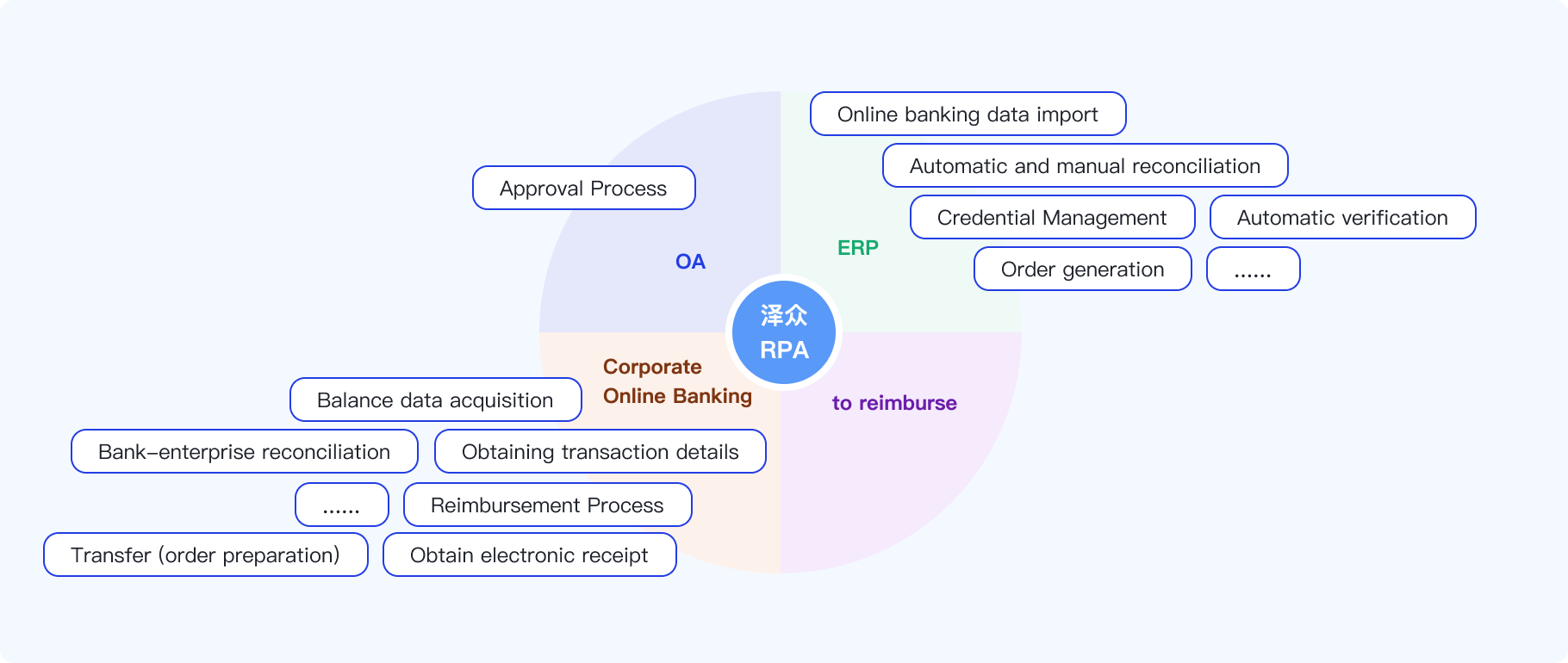
The group has integrated an ERP system. However, some processes still require manual submission of raw data from third-party systems (such as OA and corporate online banking). This requires manual switching between multiple systems during processing. This results in low processing efficiency and increased error rates when processing large amounts of data.
Pain Points:
1. Data silos: Business data comes from numerous sources, making it difficult for various systems to connect. 2. Inefficiency: Manual bookkeeping is a time-consuming process, requiring extensive manual data entry and prone to fatigue and errors. 3. Data consistency issues: Manual bookkeeping can lead to inconsistent data, as different employees may have different accounting methods and approaches. 4. Difficulty in tracking: Manual bookkeeping is difficult to track and audit, as records may be incomplete or inaccurate.
ERP Systems:
SAP, UFIDA, Kingdee, Ninestar...
Scenarios:
Automatically import amounts and transaction details; synchronize receipts and automatically match them to bank statements; create online banking statements; organize reports; process vouchers; and perform daily reconciliations...
Centralizes all first-generation USB-Shields
Second-generation USB Shield with OK button
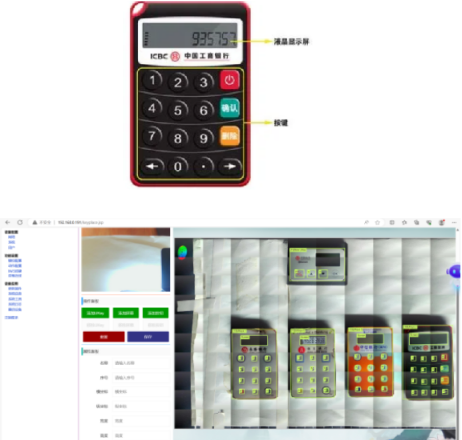
Third-generation overseas bank digital password keyboard USB-Shield

Password input and virtual keyboard

The AIUK-600 AI-powered digital PIN pad keypad consists of a two-axis slide-type motion mechanism, an electromagnetic pressure head, a programmable camera, and an intelligent DDC controller. Software tools or commands are used to control the pressure head's movement to specific positions and key presses.
A large number of non-bank and enterprise UKeys are scattered among multiple employees in the finance department, potentially leading to inefficient management, poor security, and a lack of effective oversight. These issues not only impact operational efficiency but also pose a serious threat to the security of funds.
One device can control up to eight foreign bank UKeys; provides an RPA interface for remote control via program or command; the pressure head has a rubber protective cover to prevent damage to the UKey keys; and provides a client tool for performing digital key operations.
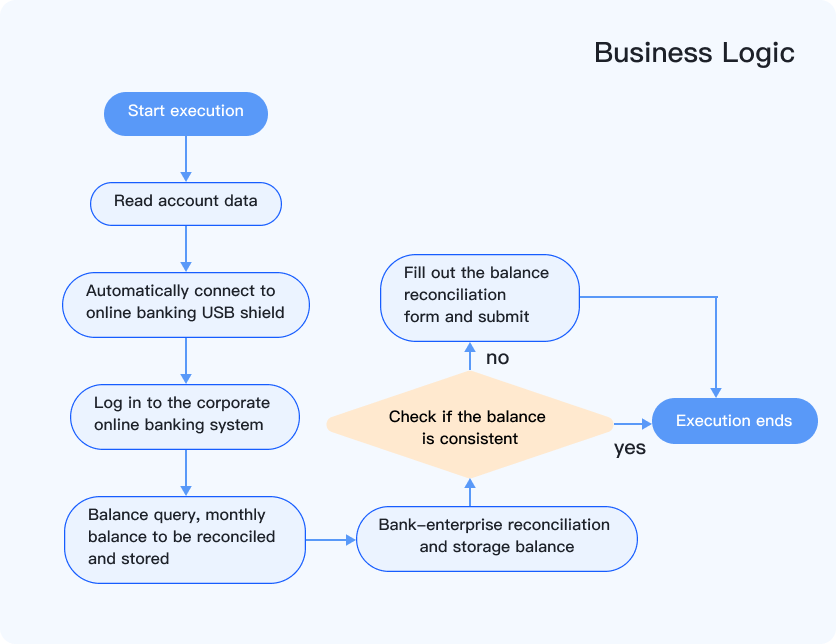
Based on the provided bank account basic data, the account balance for the month to be reconciled is retrieved from the corresponding bank's corporate online banking system. This data is then compared with the balance on the system's reconciliation page to verify the accuracy of the monthly balance.
Bank-enterprise reconciliation is generally performed on a monthly or quarterly basis.
Enterprises need to reconcile with their banks monthly or quarterly. While the reconciliation process is simple, the numerous bank accounts require significant manual effort. Using RPA can reduce both manual and time costs.
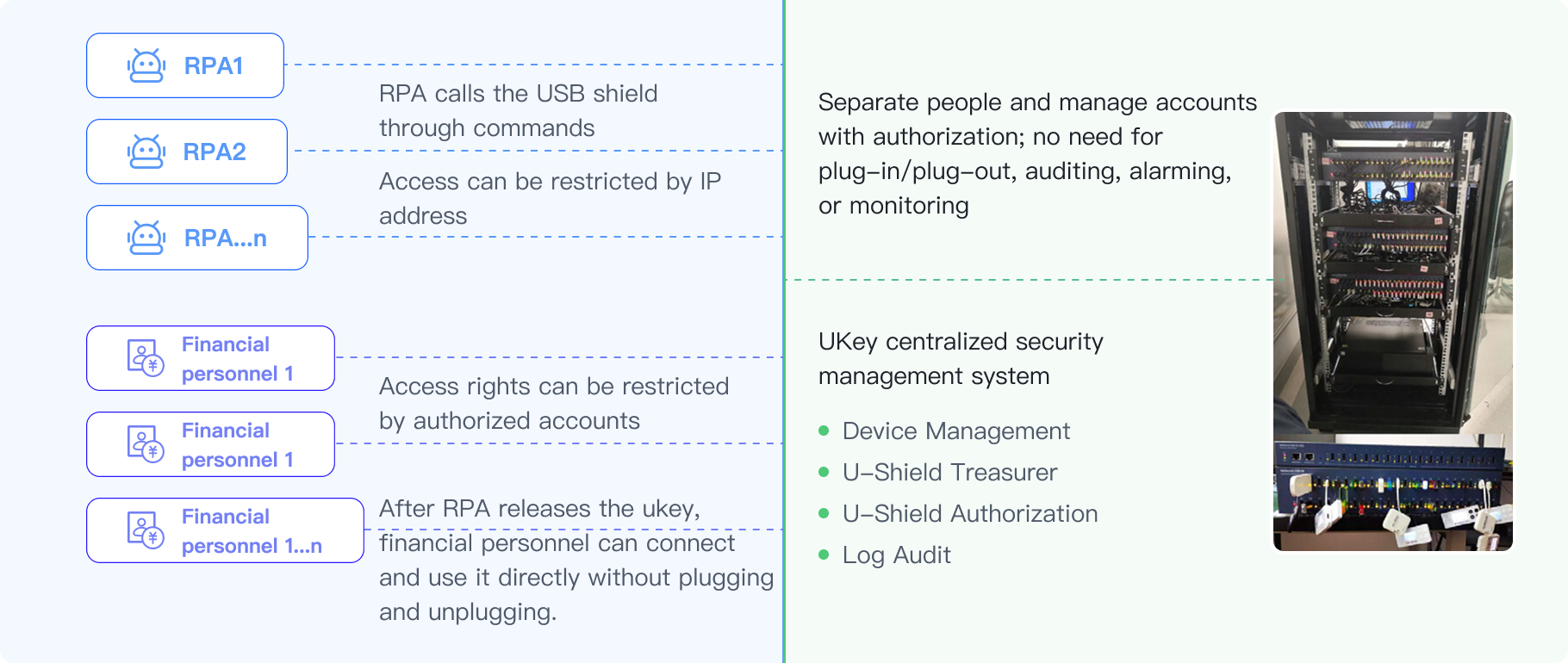
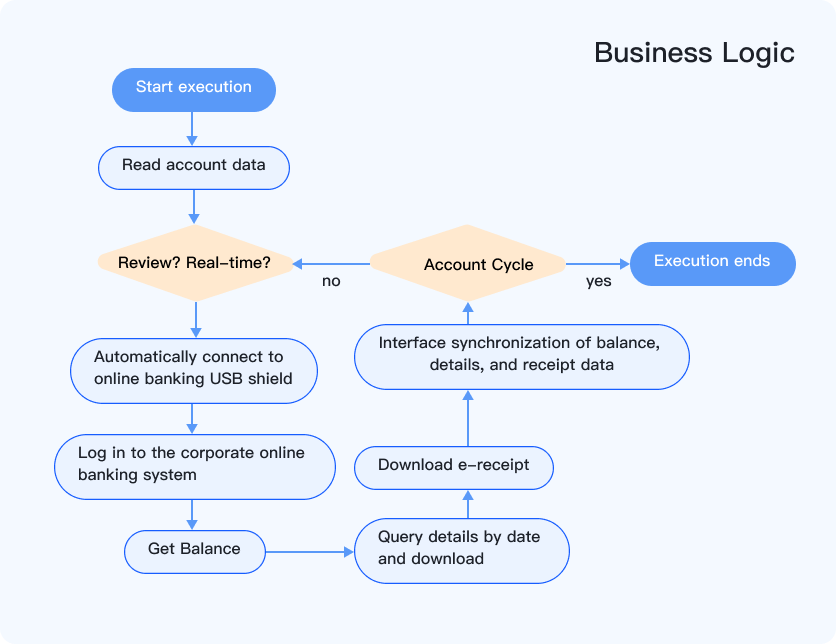
1. The group has some accounts that are not directly connected to banks and enterprises. Currently, finance personnel are required to manually connect to USB-Shields to obtain balances, details, and receipt data, and then manually report these data in the asset management system (Jiuxingxing).
2. Collect USB-Shields and use RPA to retrieve online banking data, ultimately automatically synchronizing balances, details, and receipt data to the asset management system.
1. Enables centralized management and control of USB-Shields.
2. Automatically synchronizes online banking data every hour, eliminating the need for manual intervention.
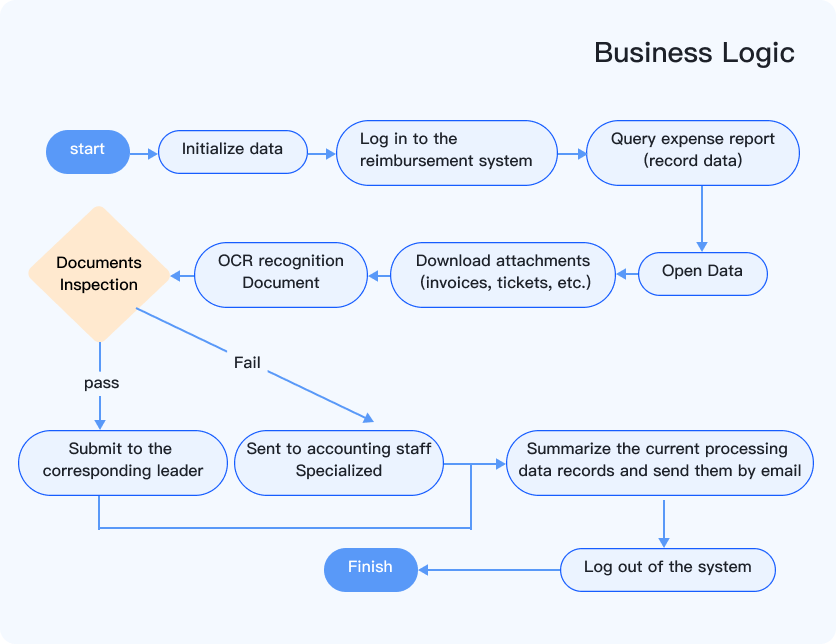
1. Large Data Volume: Travel reimbursements, expense claims, and invoice verification require processing a large number of documents within a short timeframe.
2. Inconsistent Standards: Different personnel have different understandings of the audit standards.
3. Manual Repetition: Downloading documents, checking, and reviewing them requires repetitive work.
4. Inability to batch print requisitions.
Because reimbursement systems are typically developed by third parties and lack ready-made interfaces, RPA is used to simulate manual operations. It uses OCR technology to identify and capture document data, then performs data verification based on audit rules. Finally, all processed data is compiled into a summary table that can be emailed.
1. Data Accuracy: Manual data entry is prone to errors, such as incorrect numeric input and incorrect account selection, which can affect the accuracy of financial statements.
2. Low Timeliness: Manually filling out vouchers often requires waiting until the end of each day or period, resulting in inaccurate updates of financial data.
3. Low Efficiency: Manually filling out vouchers is time-consuming, especially during high-volume business periods, which reduces the efficiency of the finance department.
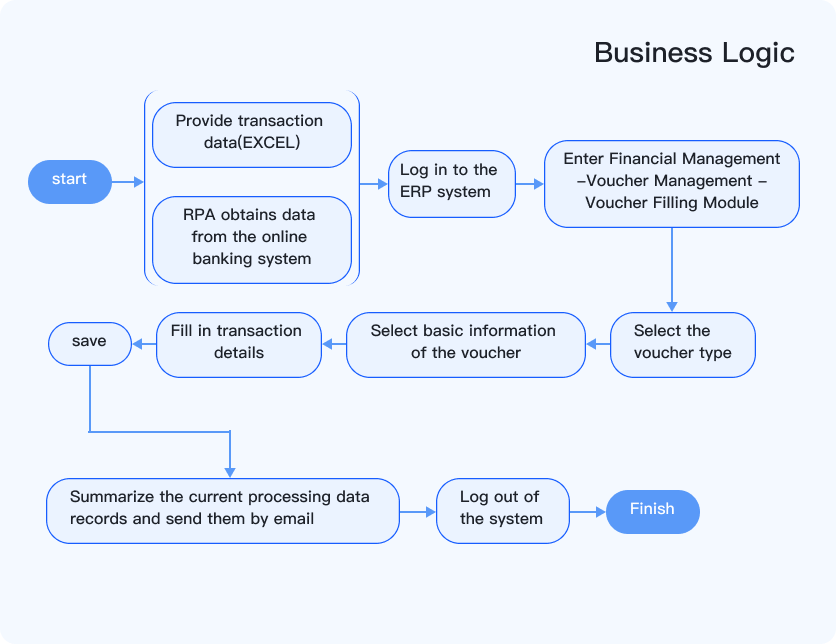
Using RPA to automate voucher filling, RPA can automatically query and download online banking transaction details and then automatically fill in information such as the summary, account, and amount for voucher entry.
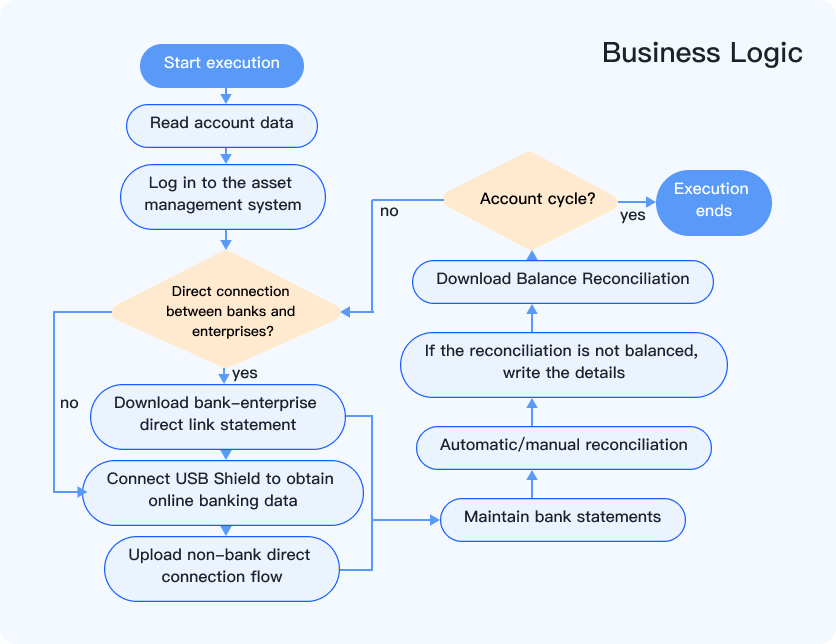
1. For bank-enterprise direct-link accounts, manual reconciliation of each account is currently required in the asset management system (UFIDA U8) to generate the corresponding balance reconciliation statement. With a large number of accounts, manual operations are time-consuming, labor-intensive, and prone to errors.
2. Using RPA to automatically perform reconciliations and generate balance reconciliation statements on a scheduled basis.
1. Reduce errors and improve efficiency.
2. Free up finance staff to focus on other more meaningful business operations.
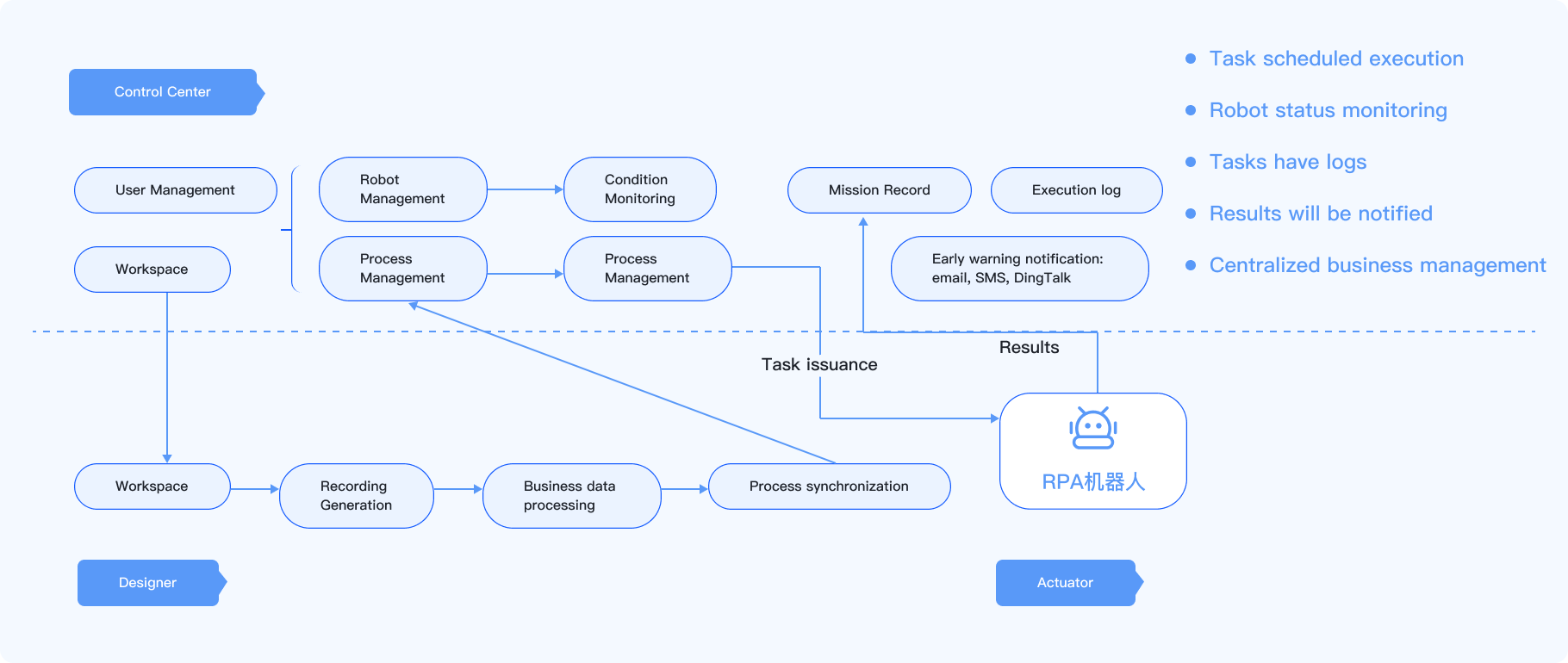
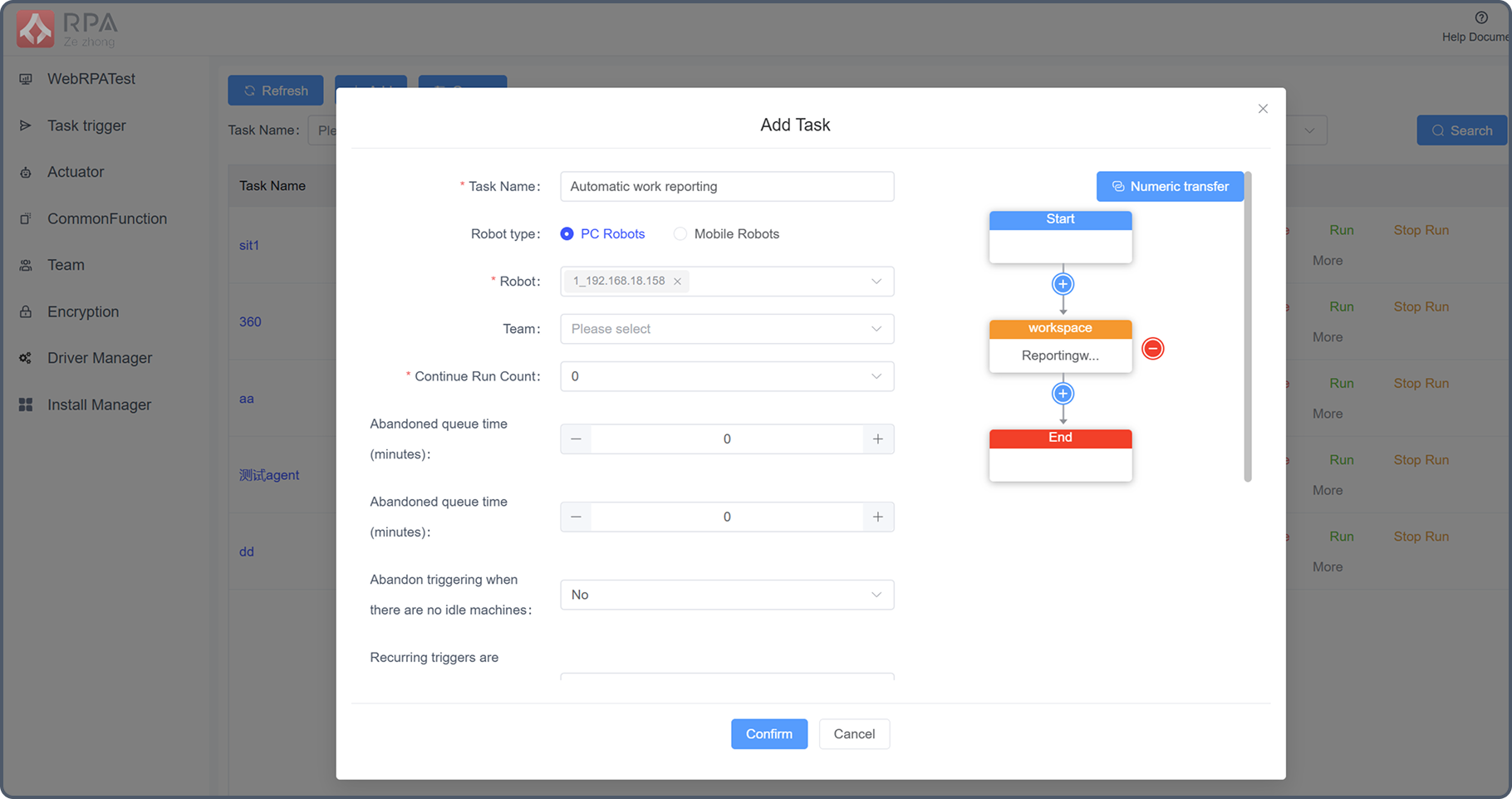
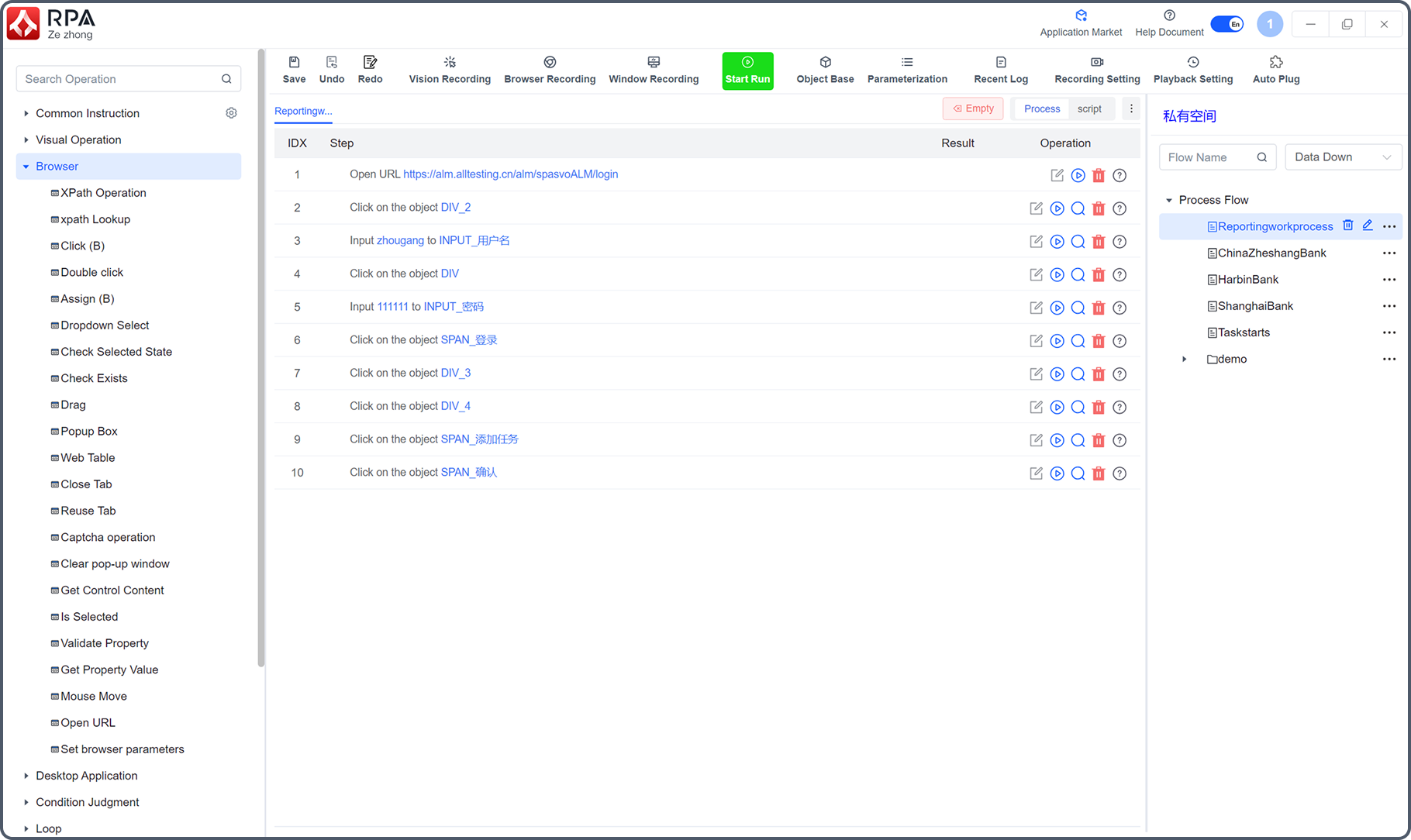
The RPA Process Control Center is primarily used to manage the entire RPA cluster, including business processes, executing robots, scheduled tasks, and email delivery. Permissions are divided by team and user. Business processes can be categorized as public, team-owned, or private, while tasks are categorized as team-owned or private.
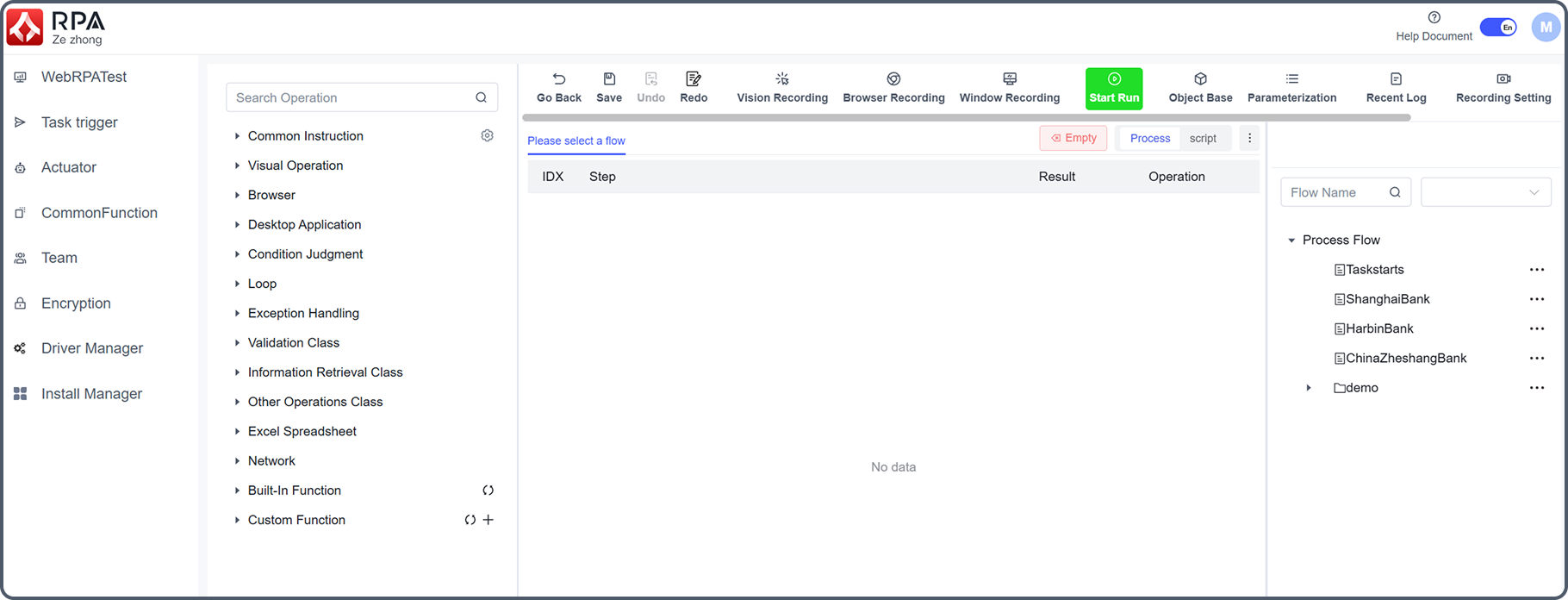
When creating a scheduled task, you can choose to assign it to a team, select the machine to execute it, select multiple processes to form a business flow, and set the number of times to repeat the task if it fails.
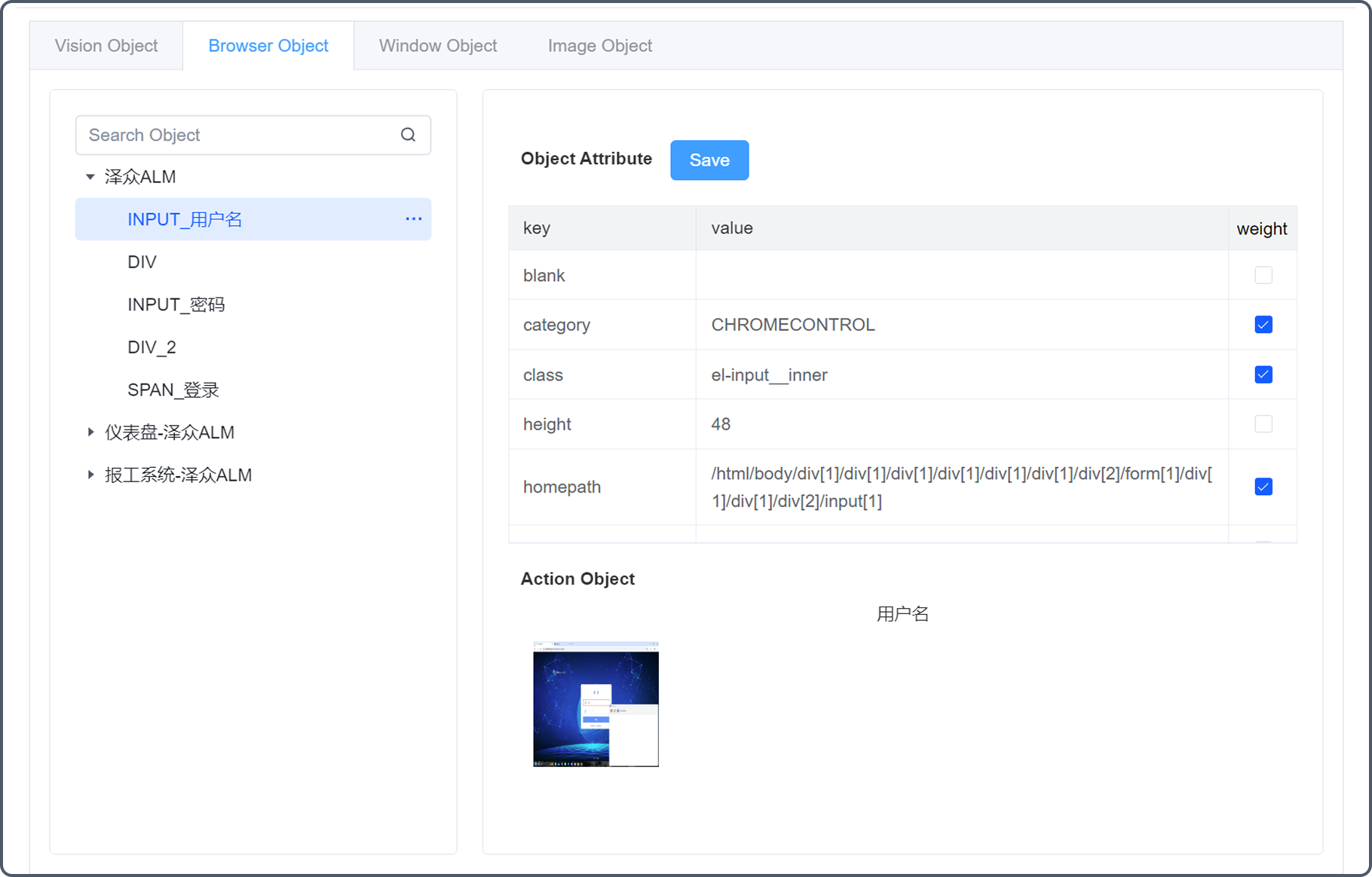
The object library stores recorded object information. Object properties are used to locate elements during execution. Screenshots are primarily for easier element identification. Object property weights can be modified. When locating an element, only properties with a weight of 100 are checked.
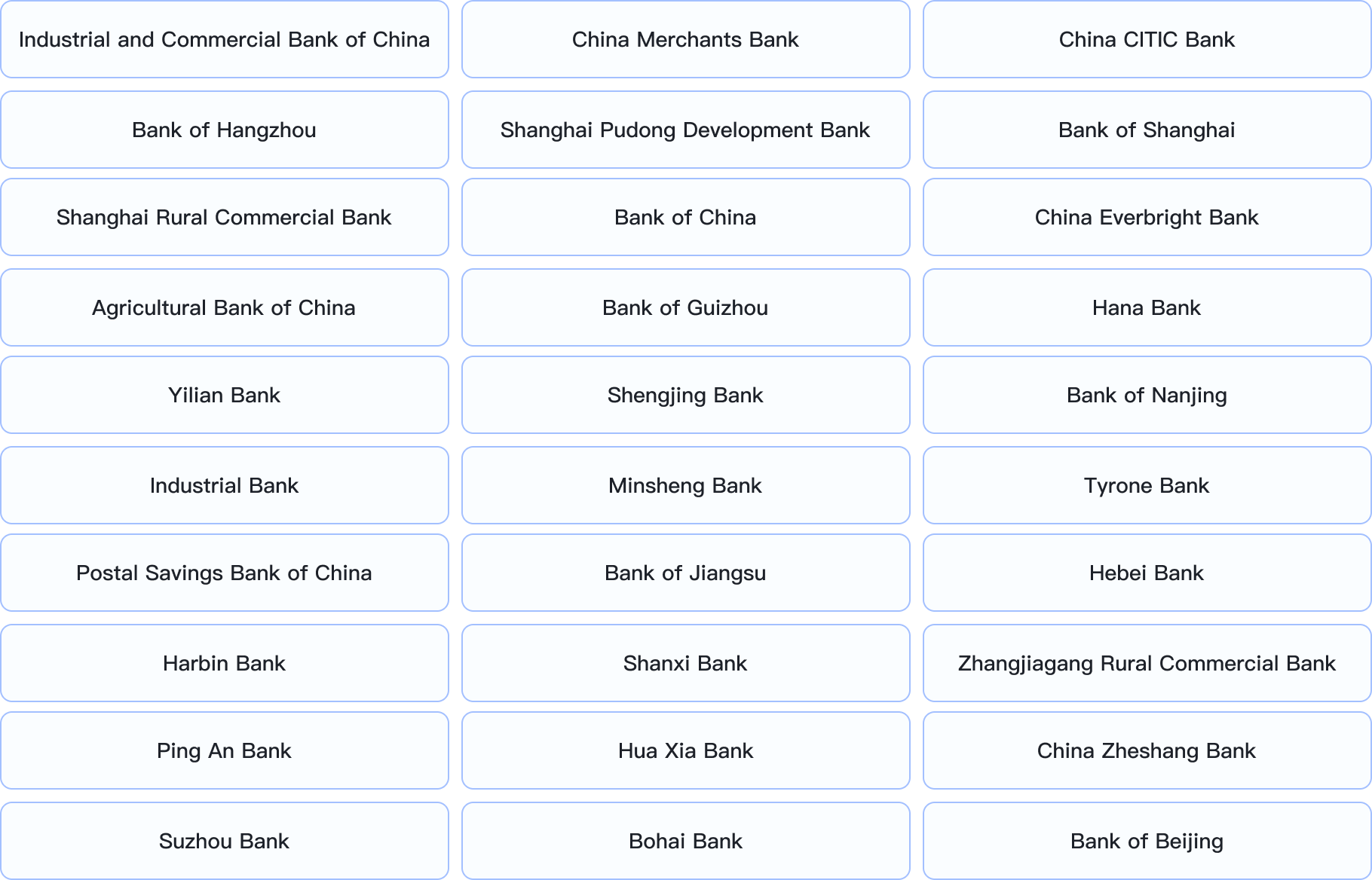
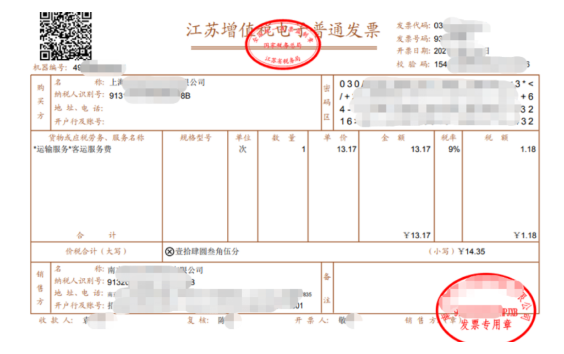






RPA can quickly automate data validation and migration between banking applications, as well as customer account management, reporting, form filling, and financial claims processing.

With the use of RPA, 80% of the original financial work was done on daily transaction processing, and only 10% of the time was spent on decision-making.

RPA makes securities business processes more scientific and smooth, not only improving work efficiency and reducing costs, but also bringing the best experience to customers.

Your information has been successfully submitted!
Our customer service staff will contact you shortly.